Manage user groups
This section contains a description of actions with groups of users of Platform.
To go to the user group management page, click “Tenant configuration” → “Groups”:
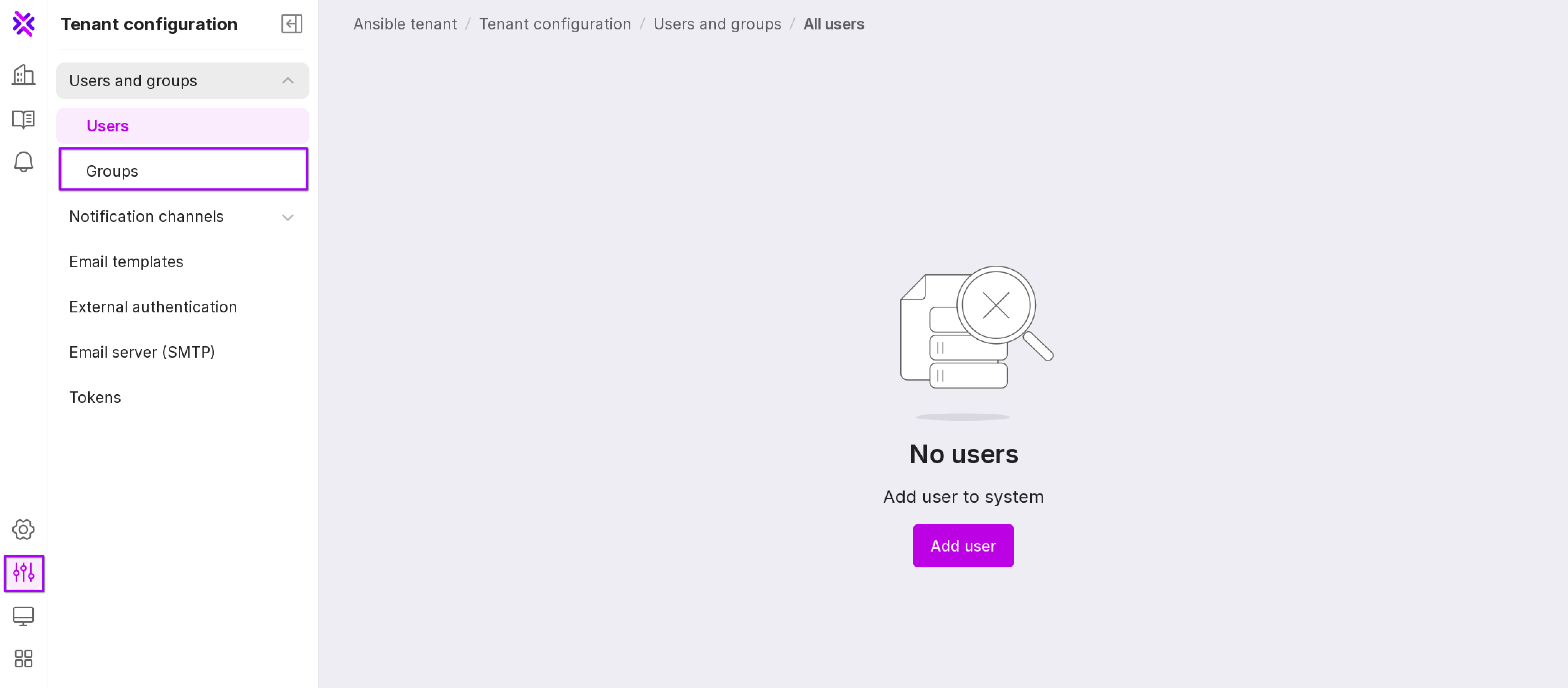
This will open the user group management page:
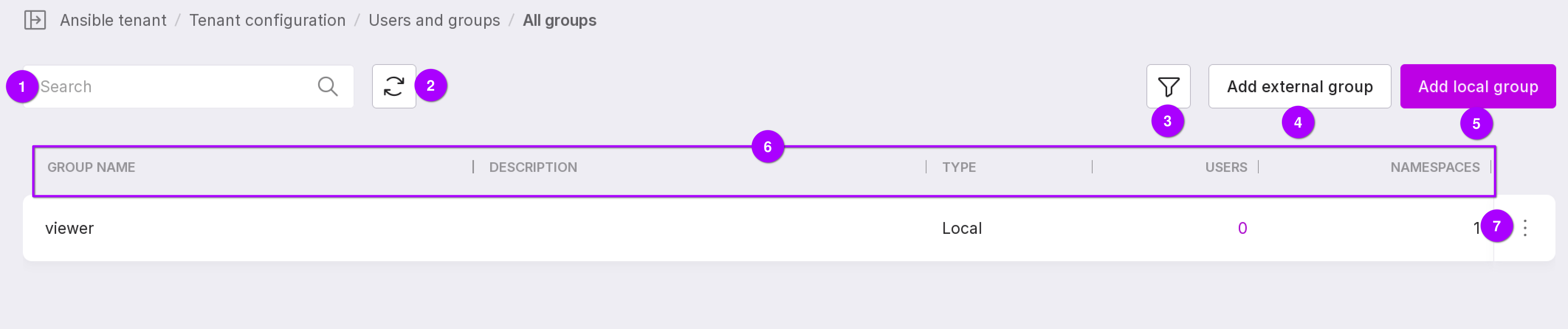
A search bar that can be used to find a group by name.
Page refresh button.
Groups can be filtered by type: local or external.
The “Add external group” button opens the “External authentication”.</ldap>
The “Add local group” button opens the window for adding a new group.
Information on groups:
Name of the group
Description of the group;
Type of group: local or external
The number of users added to the group;
The number of namespaces that team users have access to.
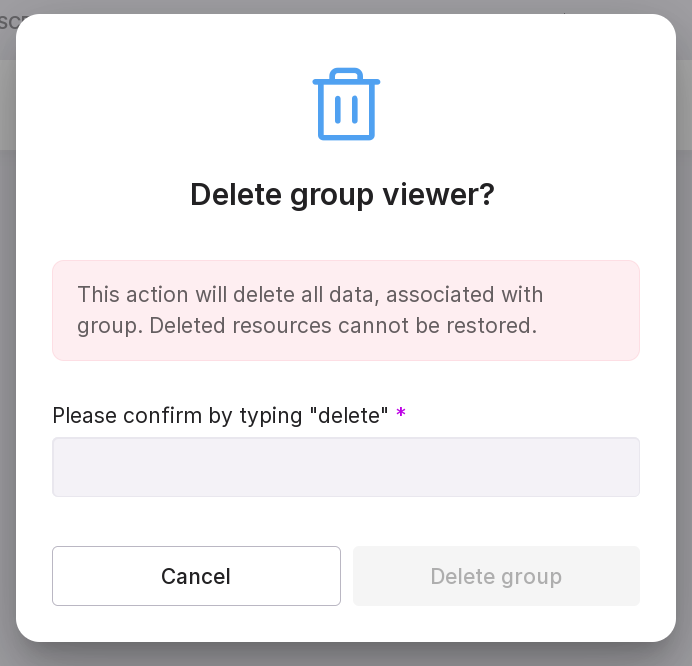
Group menu - allows you to delete a group. In the modal window, type in “delete” and click “Delete group”.
Note
To filter the information in the table, click on the header of the required column.
On the Manage User Groups page, you can do the following: