Overview and Management
To open this page, click the row corresponding to the required cluster on the “Clusters” tab of your namespace.
The “Overview and Management” page displays key health metrics of the cluster and detailed information on its instances. It also provides controls for managing cluster instances.
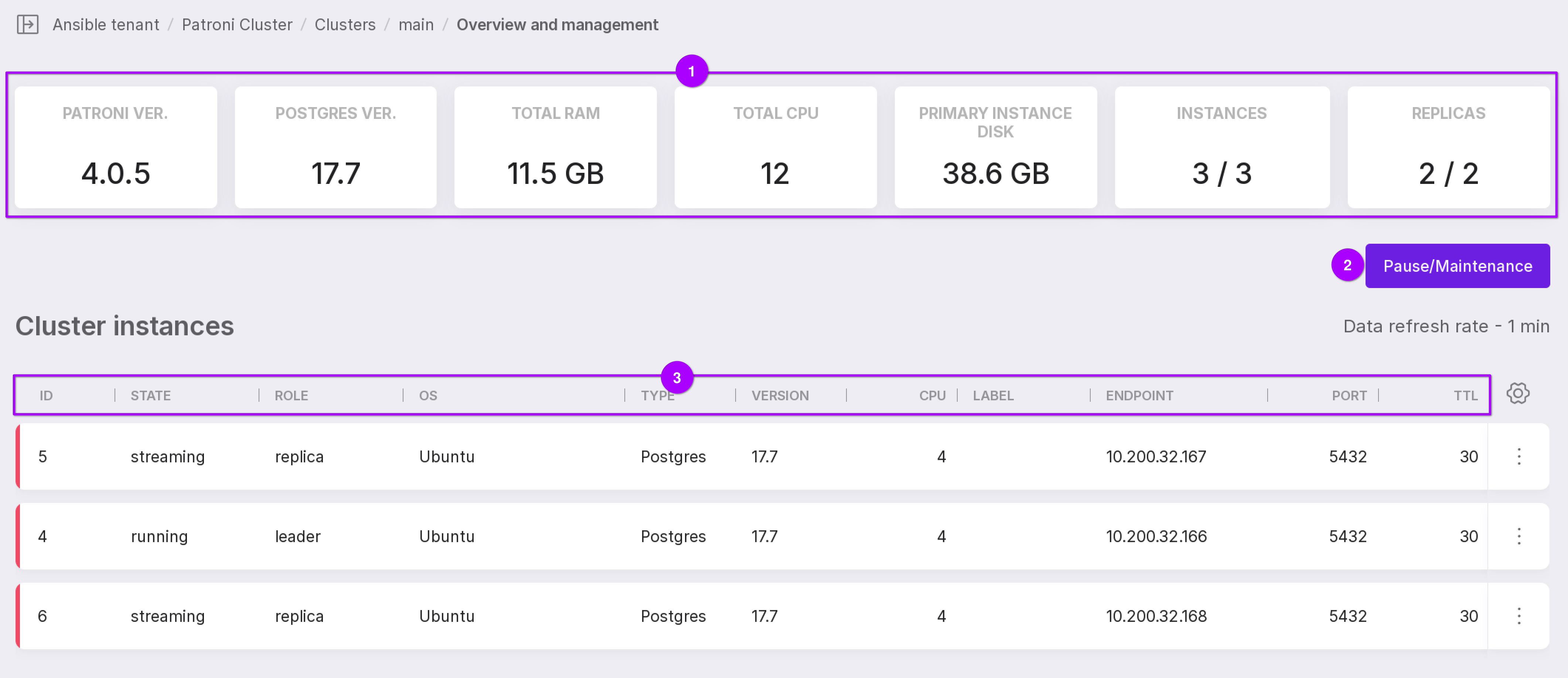
Let’s review the information shown on the page above:
Cluster state metrics:
“Patroni Version” — current version of Patroni;
“Postgres Version” — current PostgreSQL version running on Patroni instances;
“Total RAM” — total amount of physical memory available across all nodes in the Patroni cluster;
“Total CPU” — total number of logical CPU cores available across all nodes in the cluster;
“Primary Instance Disc” — total disk space provisioned for the entire Patroni cluster;
“Instances” — number of healthy (online) instances / total number of instances;
“Replicas” — number of healthy replicas / total number of replicas.
“Pause/Maintenance” or “Resume” button:
“Pause/Maintenance” — suspends automatic cluster management. While paused, Patroni will not attempt to recover or reconfigure the cluster in response to failures;
“Resume” — re-enables automatic cluster management and restores normal Patroni behavior.
Parameters of cluster instances:
“ID” — unique instance identifier;
“State” — current operational state of the instance (e.g., running, stopped, failed);
“Role” — instance role within the cluster (e.g., leader, replica);
“OS” — operating system of the server hosting the instance;
“Type” — database management system (e.g., PostgreSQL);
“Version” — DBMS version;
“CPU” — number of CPU cores on the instance’s host server;
“Label” — user-defined cluster name or tag;
“Endpoint” — IP address of the server;
“Port” — database port;
“TTL” — time-to-live (in seconds) for the leader lock. This can be interpreted as the maximum allowed time before an automatic failover is triggered if the leader becomes unresponsive. Default value: 30 seconds;
“Lag” — replication lag between the leader and the replica. (in megabytes).
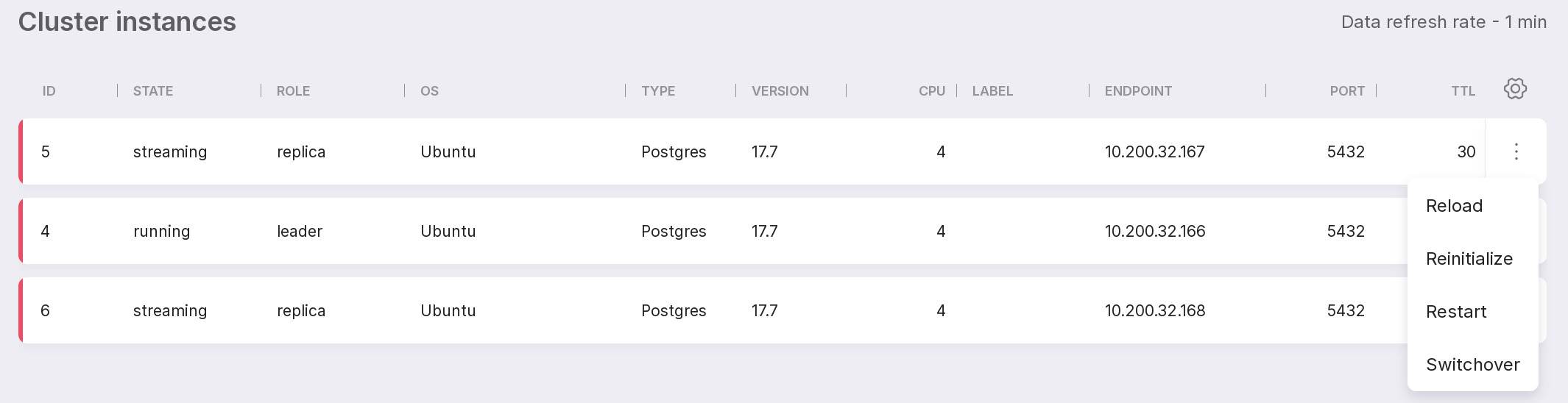
Instance menu (three-dot icon) with the following options:
“Reload” — sends a reload signal to the instance, causing it to re-read its configuration file without restarting;
“Reinitialize” — reinitializes the PostgreSQL data directory for the instance;
“Restart” — stops and then starts the database service;
“Switchover” — manually promotes a replica to become the new primary.
Attention
Switchover follows these rules:
If “synchronous_mode” is enabled (true), you can only switch to a “synchronous replica”;
If “synchronous_mode” is disabled (false), you can switch to any available replica.
Note
With a slow connection, menu items may load with a delay. Please wait until the Platform loads the current state of the menu items.