Access Rules
This page displays information on database users.
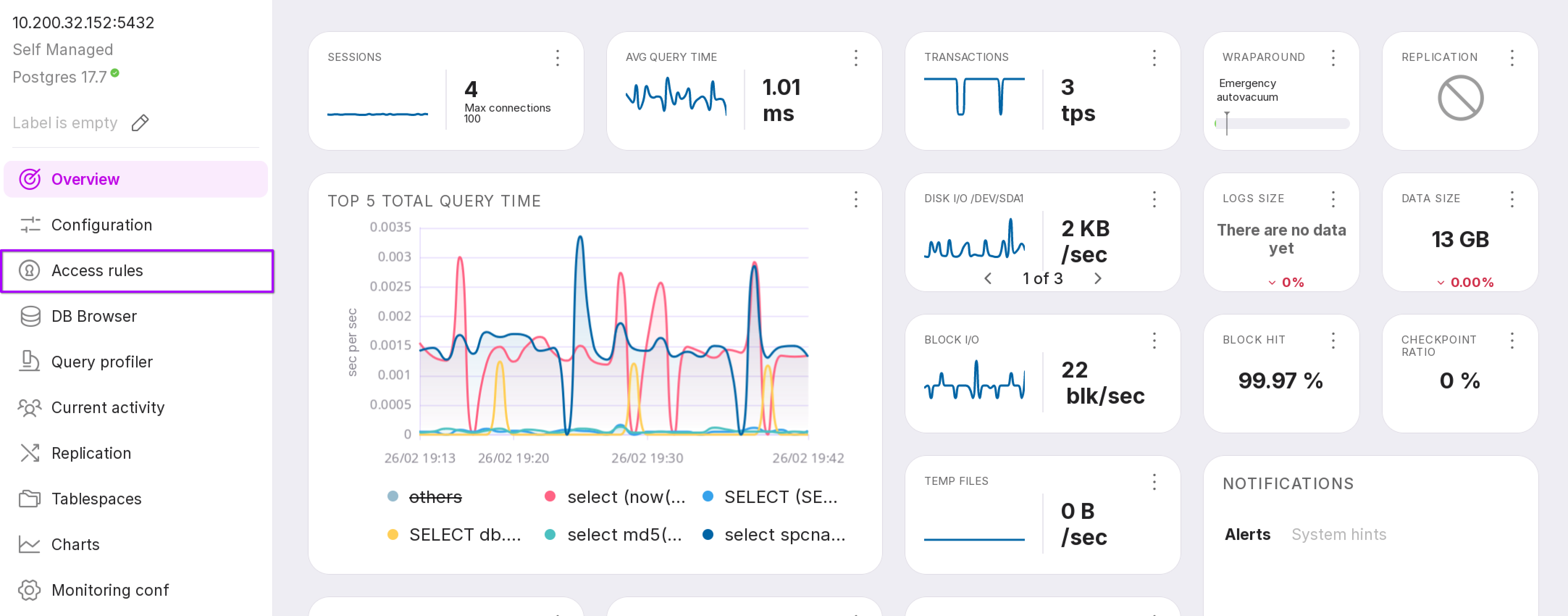
To open the page, click “Access Rules” in the instance’s left-hand menu.
Users Tab
This tab displays a list of database users along with relevant details.
Below is an overview of the information on this tab:
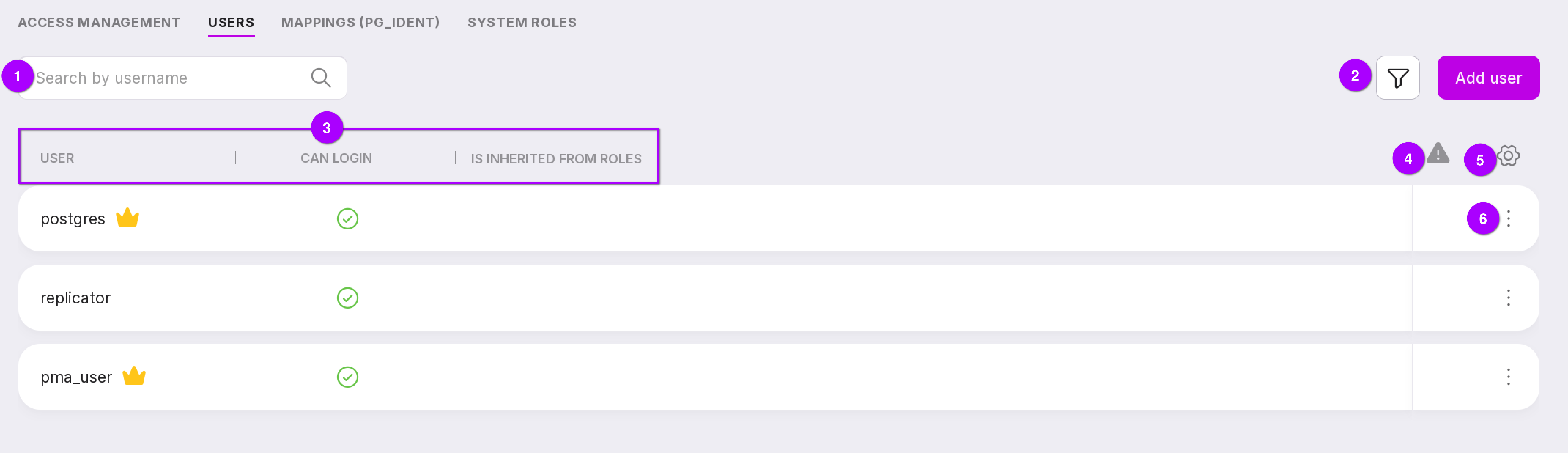
A search field allowing users to be looked up by username.
A filter for users based on the following criteria:
Whether the user is a superuser;
Whether the user has login privileges;
Which roles the user inherits from;
Password expiration state: already expired or soon to expire.
User details:
“Username”: A crown icon next to the name indicates that the user is a superuser.
“Can login”: Indicates whether the user is allowed to log in.
“Is inherited from roles”: shows the roles from which the current role inherits privileges. A crown icon denotes a superuser; an “S” denotes a system user.
Access expiration indicators:
A “yellow exclamation mark” indicates that the access period will expire in fewer than 10 days.
A “red exclamation mark” indicates that the access period has already expired.
A button to customize the table layout.
A user context menu that allows you to view detailed user information.
User Details
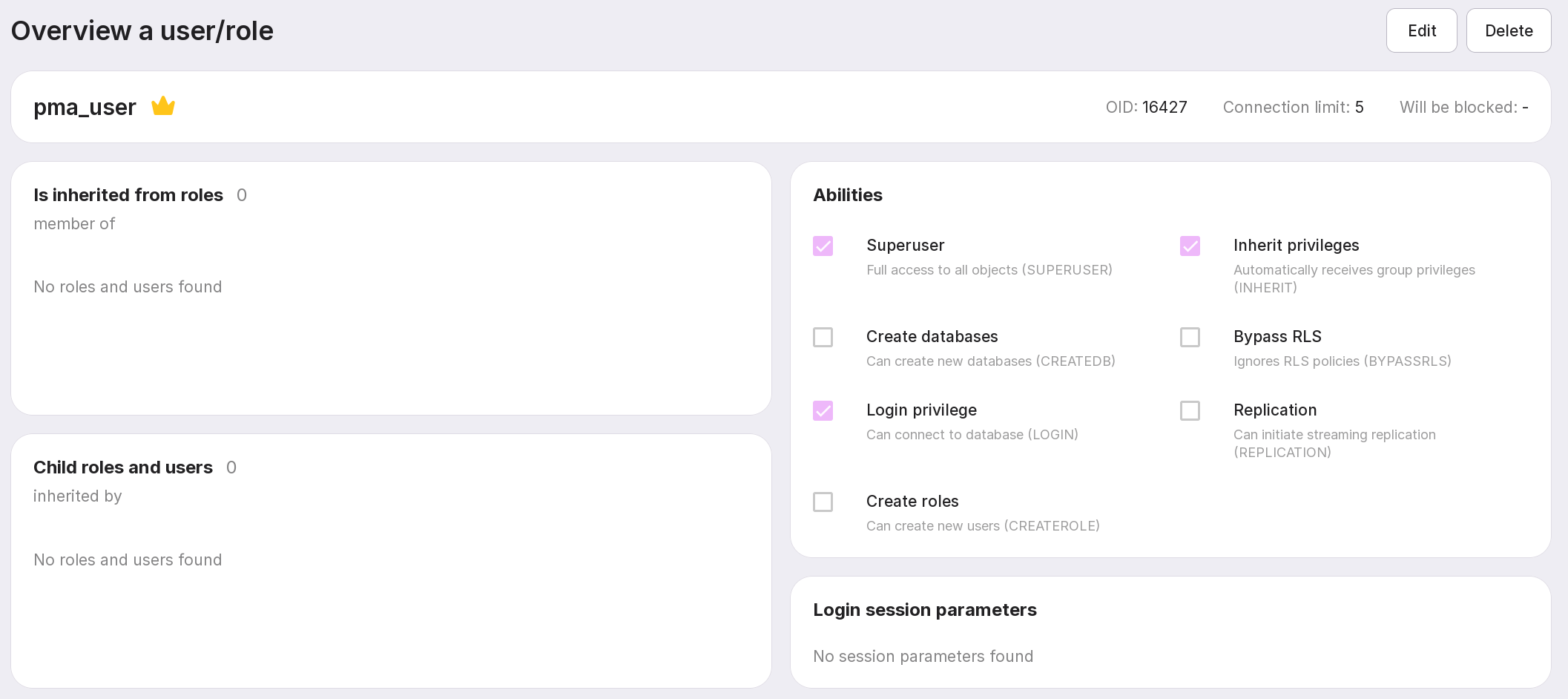
The user details page displays read-only information on the selected user. Editing user data is not permitted.
You can click on an inherited role, a child role, or a related user to navigate to their respective detailed information pages.
Mappings (pg_ident)
This tab displays existing user mappings and their associated information.
A search field to look up mappings by name.
A filter by either operating system username or database username. Only one filter type can be applied at a time. Full names or regular expressions may be used.
List of mappings:
“Mapping”: The name of the mapping;
“File”: Path to the
pg_ident.conffile;“System username”;
“DB username”.
Warnings or errors: e.g., user access expires in less than a week, access has already expired, or the referenced user does not exist.
Click a mapping row to view its detailed information.
System Roles
This tab displays information on existing system roles.
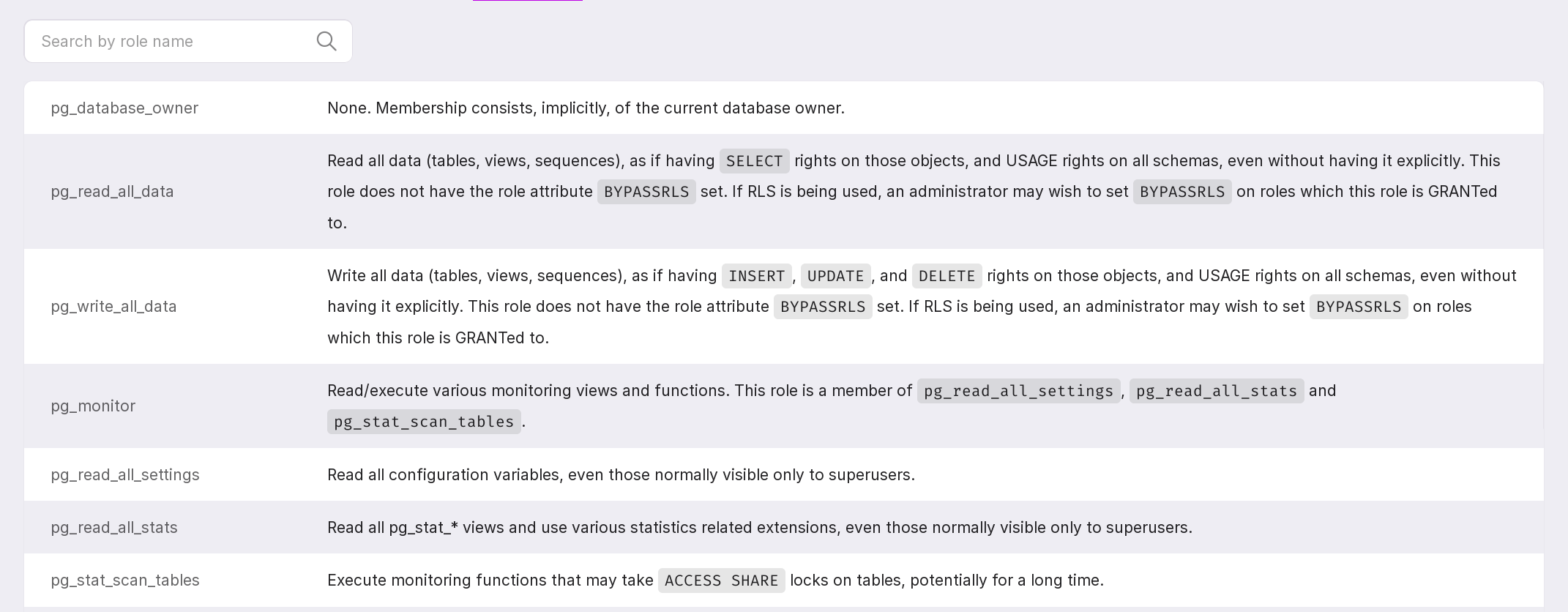
Roles can be searched by name.
To access detailed documentation on specific commands or parameters, follow the provided links.

Roles that inherit from system roles are listed accordingly.