User Management
This section contains a description of actions with user accounts of Platform.
To go to the user management page, click “Tenant configuration” on the left panel.
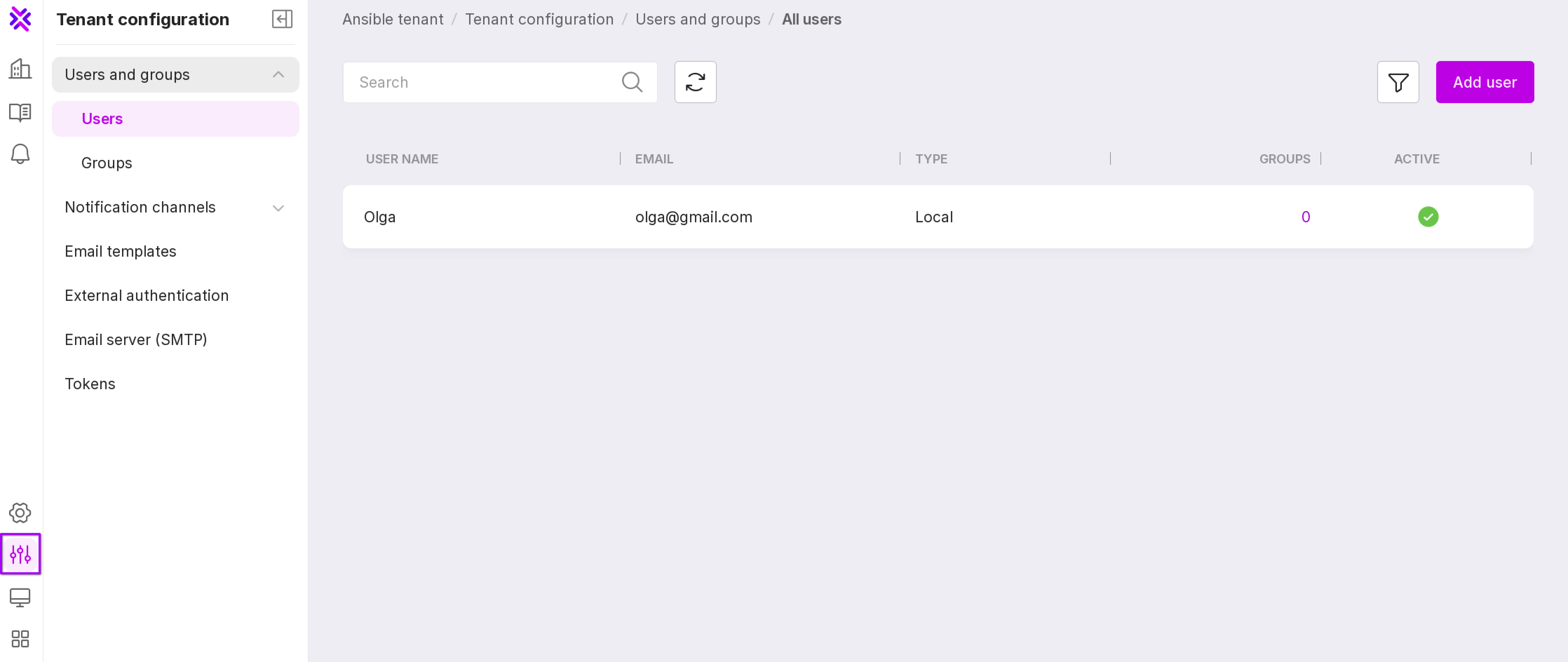
The page contains a table with information on existing user accounts and controls.
Note
To sort the information in the table, click on the header of the required column.
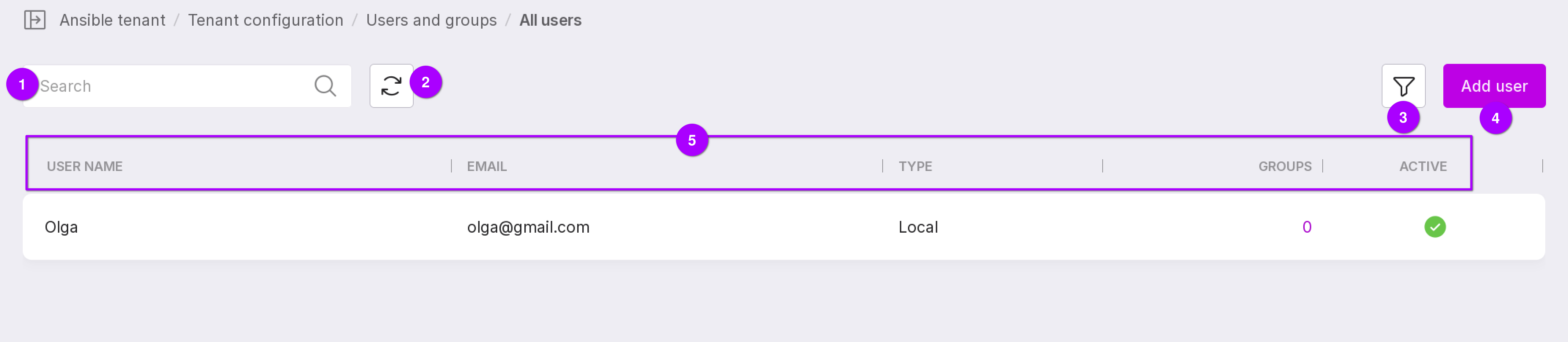
A search bar that allows to search for users by name and email. Page refresh button. Filter by user type: external or local. Button to add a new user. User information: