System Actions, Host Selection
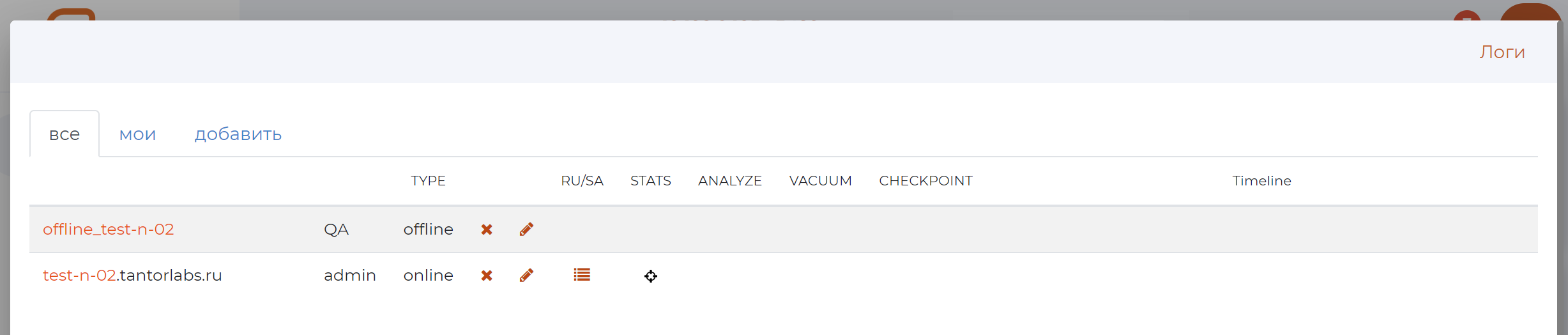
This page displays the projection of records from the ANALYZE, VACUUM, CHECKPOINTS event logs.
Here you can enable/disable monitoring pg_stat_activity and pidstat.
The “System Actions” section contains 3 tabs:
all;
My;
add — allows you to add new database log sources (hosts).
All tab

Tab composition:
#. .. include:: pg_m_glossary/pg_m_149имя_хоста.gls #. .. include:: pg_m_glossary/pg_m_148имя_ответственного.gls
3. .. include:: pg_m_glossary/pg_m_055log_analyze_disable.gls #. .. include:: pg_m_glossary/pg_m_166редактировать_button.gls
5. .. include:: pg_m_glossary/pg_m_114Timeline.gls
The “mine” tab
The composition of the tab is identical to that of the “all” tab
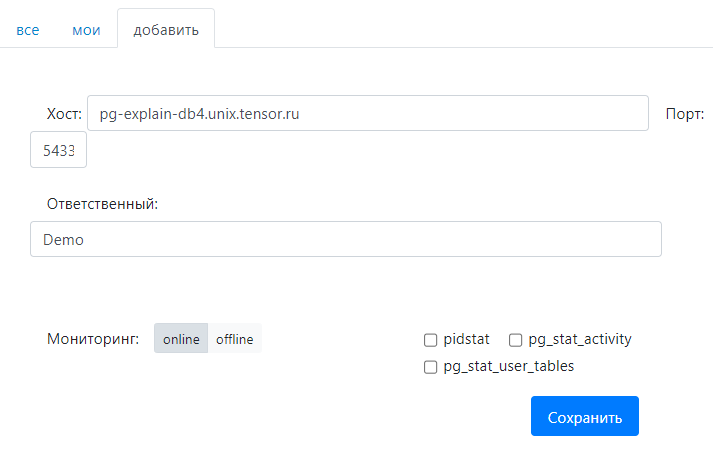
Add tab
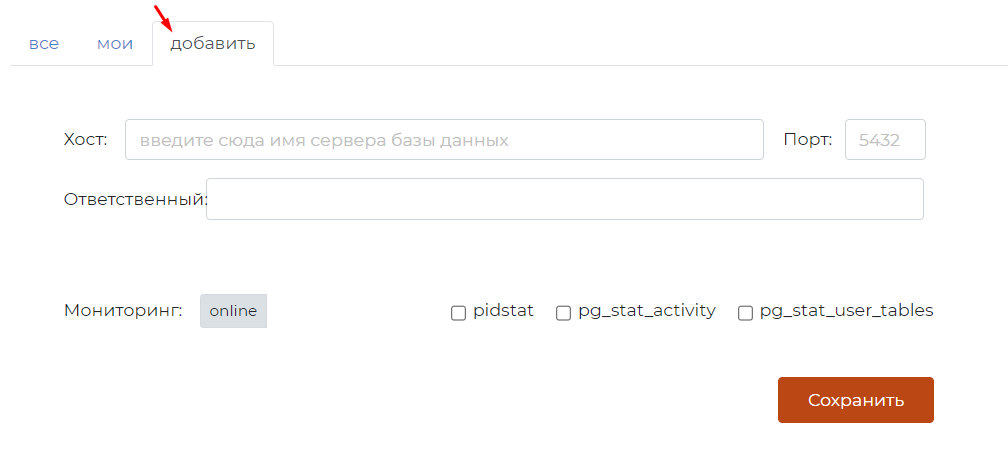
On this tab, you can specify:
header information on the host to be reflected in the tables pg_monitor;
online — specify the server details (URL, port) from which pg_monitor will periodically take data for displaying analytics.
Adding Online Log URLs
Precedence rule:
Select the “online” mode.
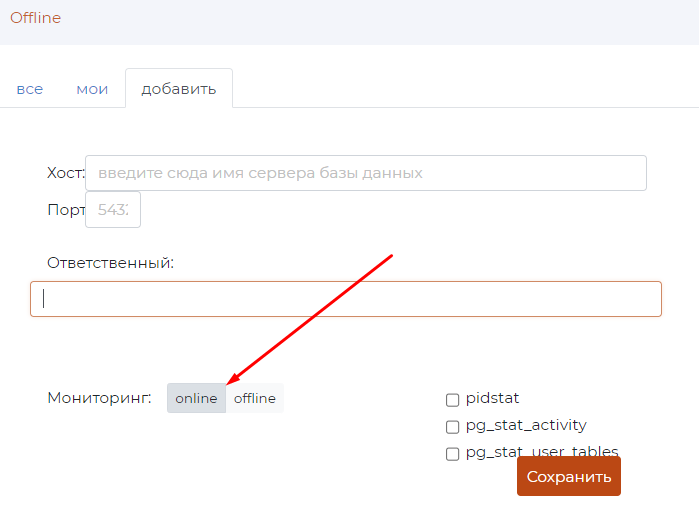
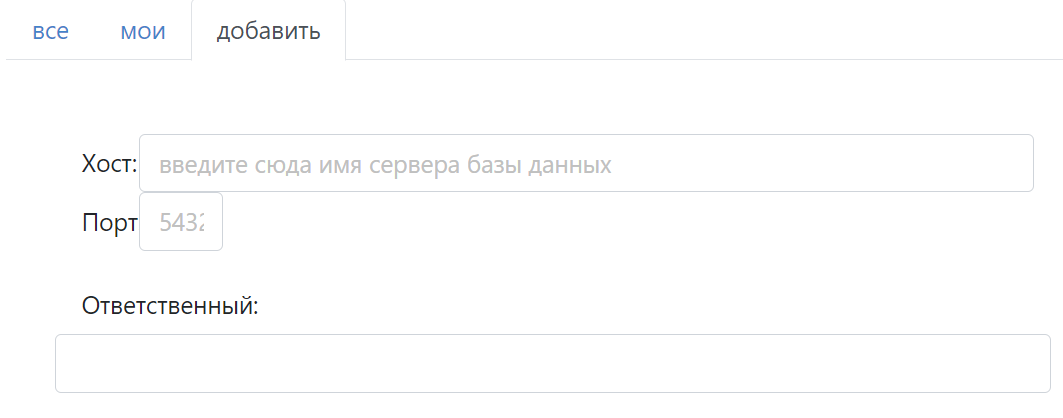
Specify the header information: * Host, * Port, * Responsible.
Check the required functionality for this database in the checkboxes:
pidstat
pg_stat_activity
pg_stat_user_tables
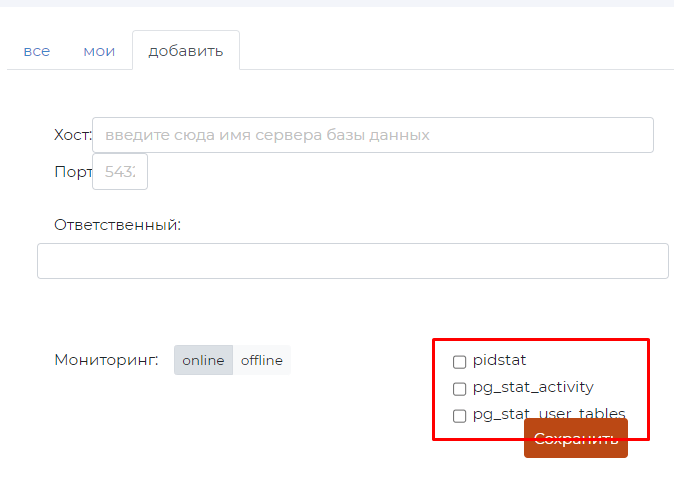
Click ‘Save’
To check the added host, go to the “System actions” section, where the added host will be displayed or the added database will be displayed for the selected host in the drop-down list.
Disabling the Log Analyzer
If the database is displayed in the “Log viewers” drop-down menu in the “Log viewers” section, then the log analyzer can be disabled for it.

To disable the log analyzer, click on the  button in the “System actions” section on the “all” or “my” tab. in the 4th column.
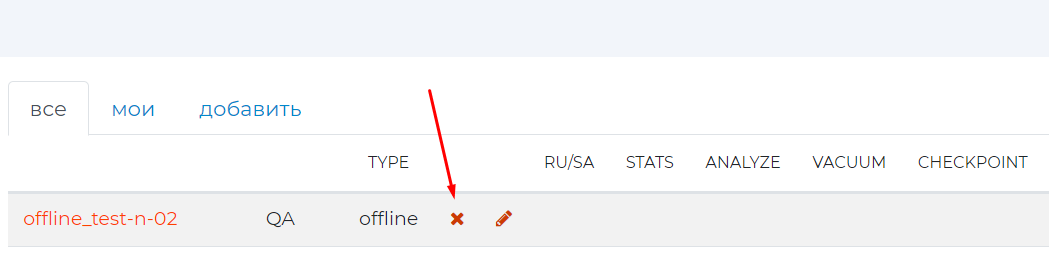
In the “Logs” section, this database will no longer be displayed in the “Log view options” drop-down menu. Logs for disconnected databases stop being processed
Table statistics snapshots
To display snapshots of statistics for tables, in the “System Actions” section on the “all” or “my” tab, click on the  (Snapshots of table statistics).
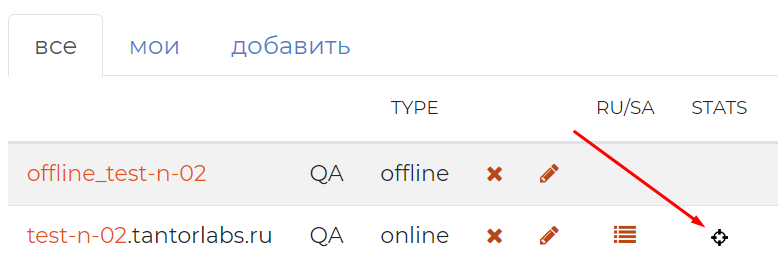
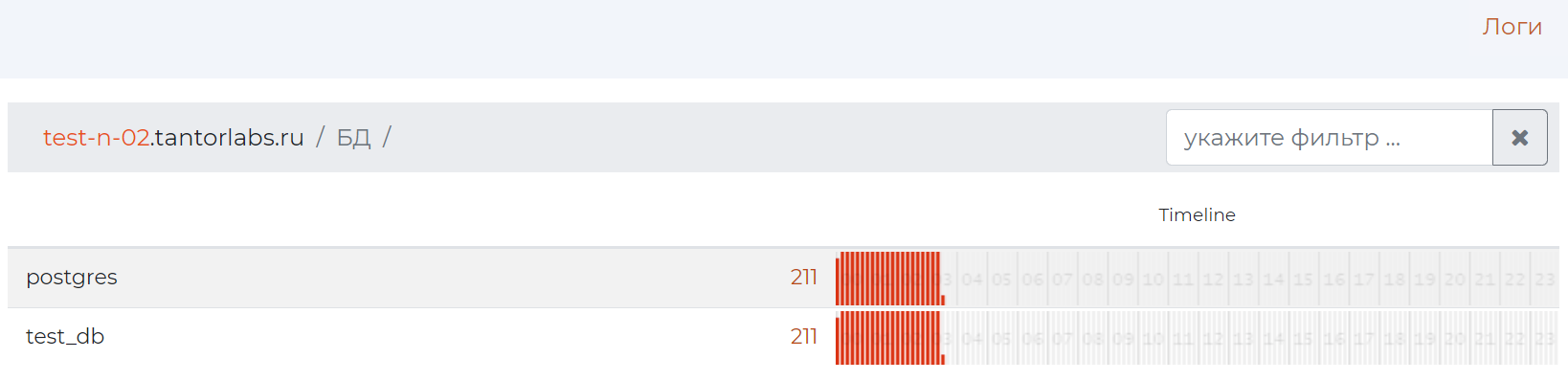
Snapshots of table statistics will be displayed (Pages /DB and “Table Statistics”).
Host Editing
To change the host logging settings, on the “All” or “My” tab, click on the |edit_button| button.
The Add tab will appear pre-populated with fields that match the selected host.
Next, you should make changes and click “Save”.