Installation of the log analysis module (Advanced analytics)
Important
To ensure correct operation of the log analysis module (Advanced analytics), it is important to install extensions: :ref:pg_stat_statements, :ref:pg_store_plans, auto_explain. If you have PostgresPro Standard version, download and install :ref:pgpro-stats-std extension.
Creation of RSA keys
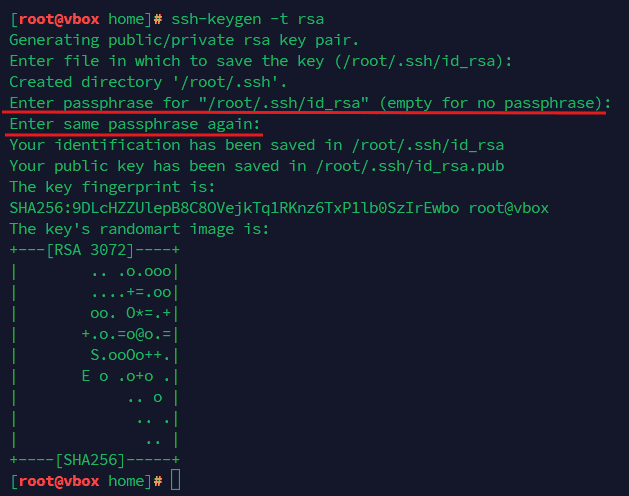
Generate keys on the server with Platform:
ssh-keygen -t rsa
Important
Keys shall be without a passphrase. This is necessary for collecting statistics from the monitored database.
Note
If an old key pair exists, the program will prompt to overwrite them.
Copy the created keys to the necessary directories with the following command:
cp /root/.ssh/id_rsa* /opt/tantor/eco/ssh/
Copy the created public key to the database server by running the following command:
ssh-copy-id -i /opt/tantor/eco/ssh/id_rsa postgres@test-03.tantorlabs.ru
On the database server, copy the public key to the directory next to postgres and change the permissions:
mv /home/admin/.ssh /var/lib/pgsql

chmod 700 /var/lib/pgsql/.ssh chmod 600 /var/lib/pgsql/.ssh/authorized_keys chown -R postgres:postgres /var/lib/pgsql/.ssh
Check the login to the database server using the added key:
ssh 'postgres@test-03.tantorlabs.ru'
On the database server, ensure that the current shell for logging in is bash:
echo $SHELL /bin/bashIf not, set bash as the current login shell with chsh command, after installation enter the password:
chsh -s $(which bash)To confirm that the shell was changed, log out and log back in, and execute again:
echo $SHELL /bin/bash
Ensure that
postgresuser exists on the database server.Ensure that
psqlcommand is available on the database server.Ensure that the SSH server parameter AllowTcpForwarding is not disabled on the database server:
grep "AllowTcpForwarding" /etc/ssh/sshd_config
Configuration of the postgresql.conf parameters of the monitored DBMS
To ensure the module works correctly, set the following parameters in postgresql.conf file:
Note
These settings can be applied using Platform configuration module. Recommended values for the parameters will be indicated in the corresponding column.
\# Settings for Advanced analytics logging_collector = on log_line_prefix = '%m \[%p:%v] \[%d] %r %a ' log_lock_waits = on lc_messages = 'en_US.UTF-8' auto_explain.log_analyze = on auto_explain.log_buffers = on track_io_timing = on auto_explain.log_nested_statements = 'true' # set an appropriate value deadlock_timeout = 1000ms log_min_duration_statement = 10s pg_store_plans.min_duration = 10s auto_explain.log_min_duration = 10s # Mandatory condition log_filename = 'postgresql-%F.log' # required at a minimum for collecting logs from Advanced Analytics log_destination = 'stderr' # minimum none to show errors log_statement = 'none' # For PostgresPro type DBMS, specify pgpro_stats instead of 'pg_store_plans' shared_preload_libraries = 'pg_stat_statements, pg_store_plans, auto_explain' # Settings for Advanced analytics end
To ensure the module works correctly, add the following permission in the pg_hba.conf file:
host all postgres 127.0.0.1/32 trust
Restart the monitored DBMS to apply the new parameters.
To apply the changes, restart the container by executing the following command on Platform server:
docker restart pg_monitor_collector
In the browser, go to the pg-monitor page and ensure that the host of the monitored database is included in the list:
https://<platform-domain>/pg-monitor/hosts

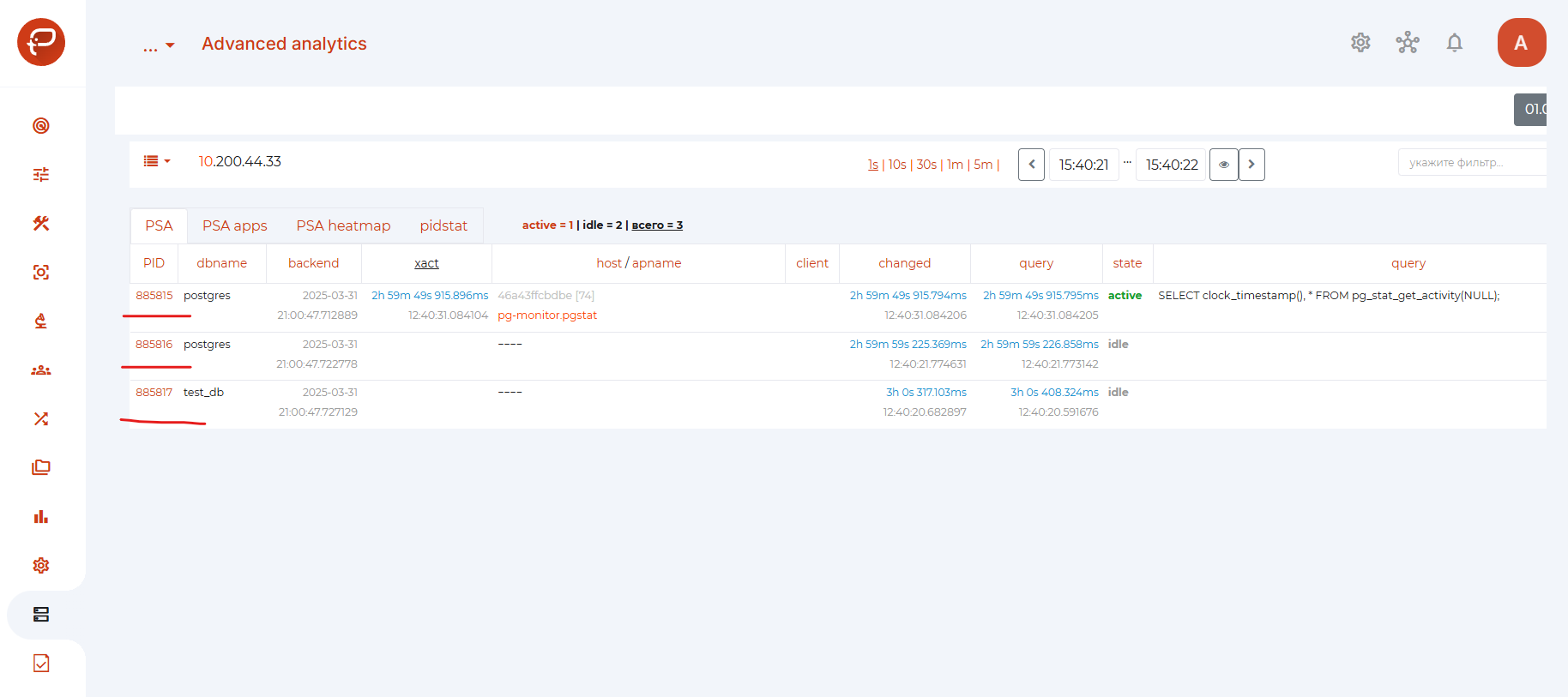
In Platform on the Advanced analytics page, ensure that the list of processes (pid) is not empty:
Open the module Configurations.
In the “Client Connection Defaults / Shared Library Preloading” section (Client Connection Defaults / Shared Library Preloading), set the recommended values in the variable string shared_preload_libraries: pg_stat_statements, pg_store_plans, auto_explain
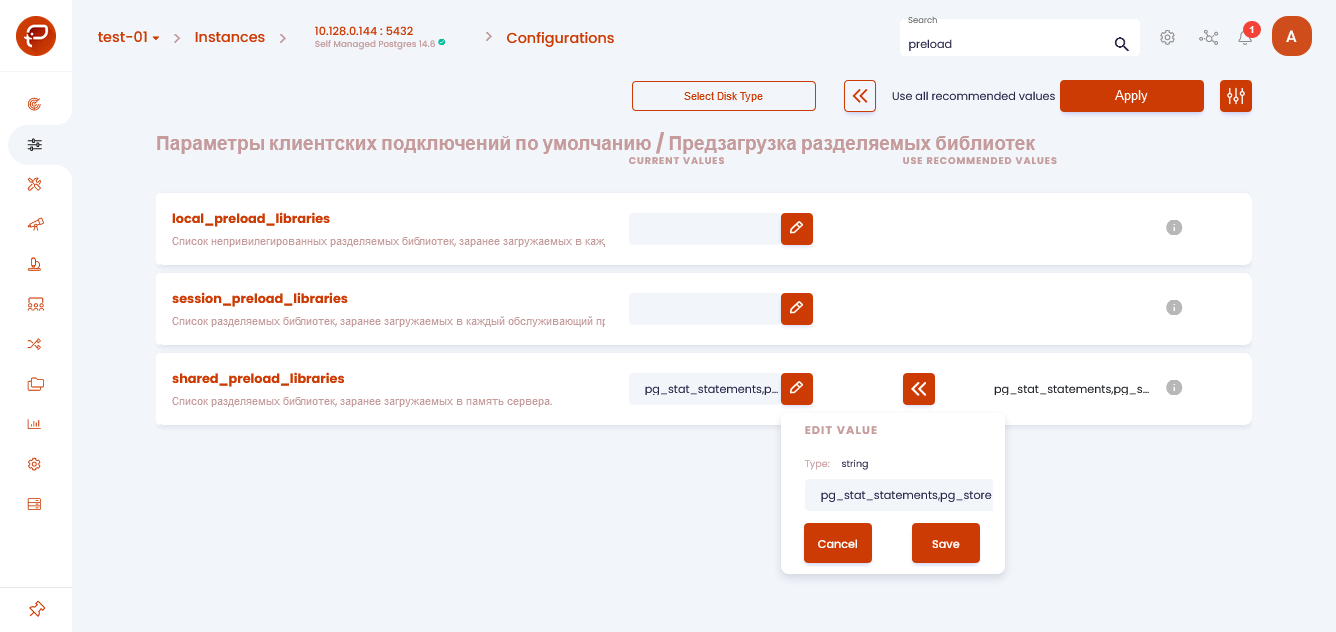
Click “Save” to save the changes.
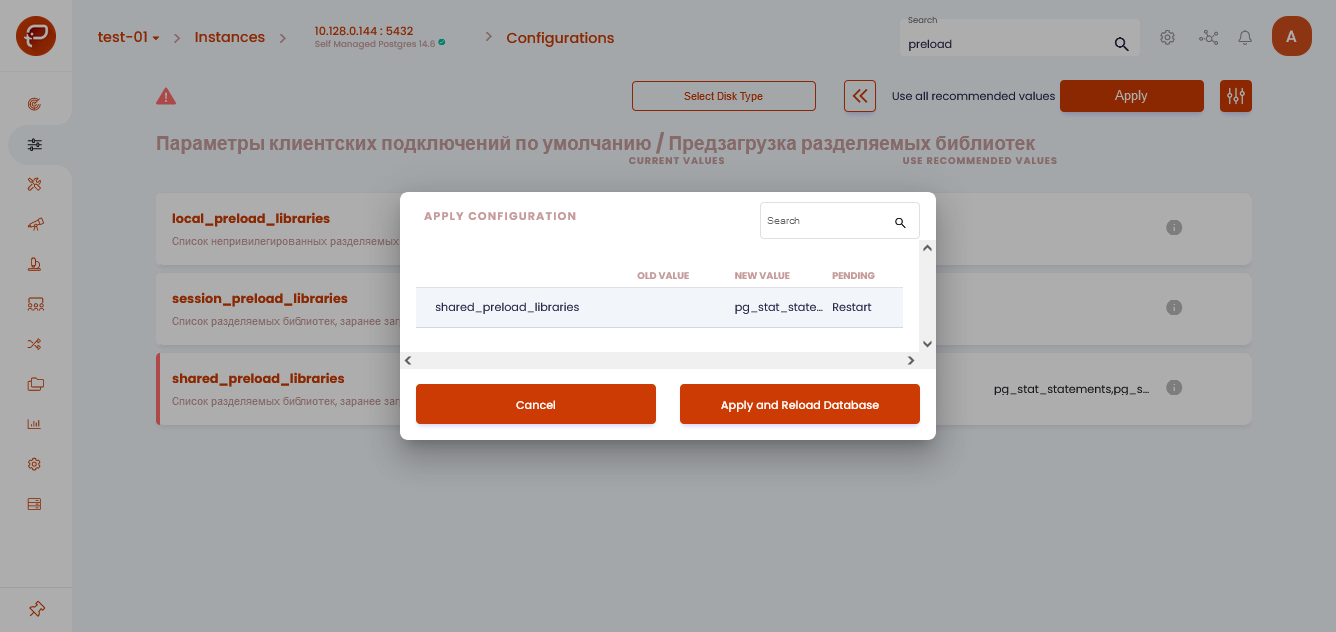
Click “Apply and Reload Database” to apply the changes and reload the database.
In the “Non-system parameters” section (Client Connection Defaults / Locale and Formatting), set the following values:
lc_messages = en_US.UTF-8
logging_collector = on
auto_explain.log_analyze = on/true
auto_explain.log_buffers on/true
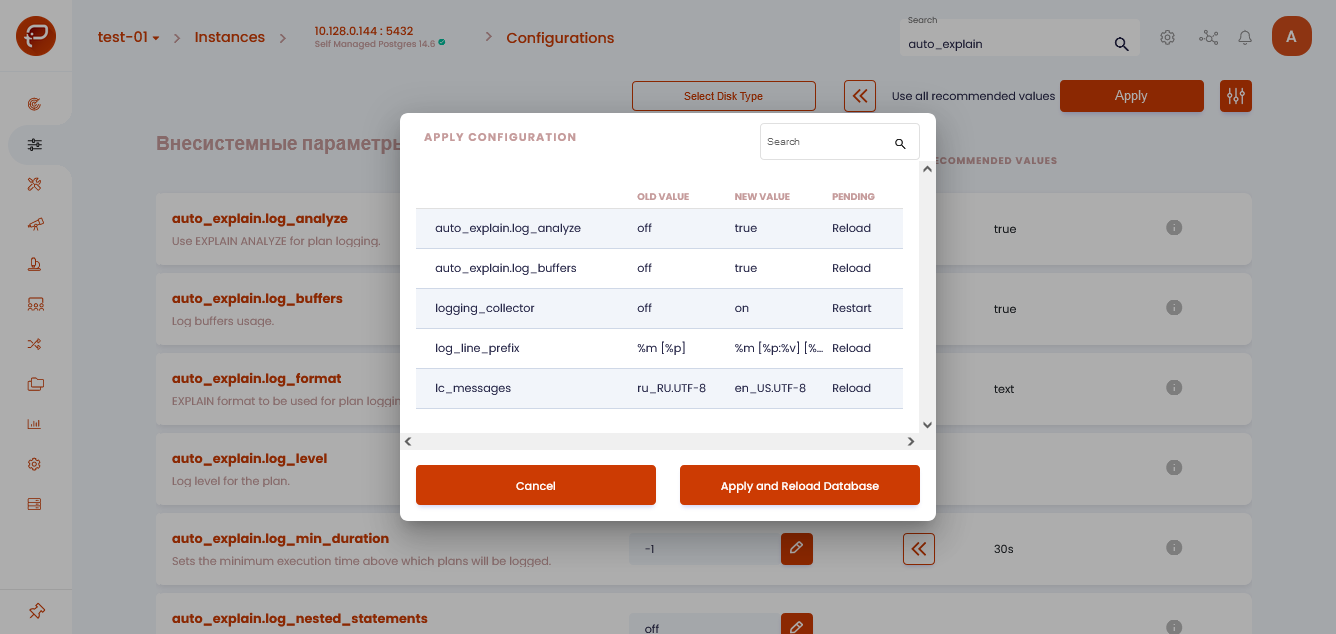
Click “Apply and Reload Database” to apply the changes and reload the database.
Note
To display the results of work on Platform faster, set the following values:
log_statement = ALL
pg_store_plans.min_duration = 0
On Platform server, restart the container by executing the following command:
docker restart pg_monitor_collector